 Children are so much more perceptive than we numb adults. They believe in things that our intellect tells us are impossible.
The next time your child (if you have any) comes bursting through the door in the middle of the night, screaming about the monster under their bed, believe them.
Luckily, there’s a surefire way to dispose of that ghost or monster that haunts your child’s room… and yours.
It’s simple really. Would you like to know?
Exorcism procedure: Unplug some stuff!
That’s right, we’re talking about phantom power here. (What’d you think we were talking about?)
It’s real. It’s troubling. It’s sucking the life out of your wallet and the environment.
Phantom Power 101
Other names and terms for phantom power are: phantom load, idle current, vampire power, wall wart…but it’s all talking about the same thing.
So what is phantom power?
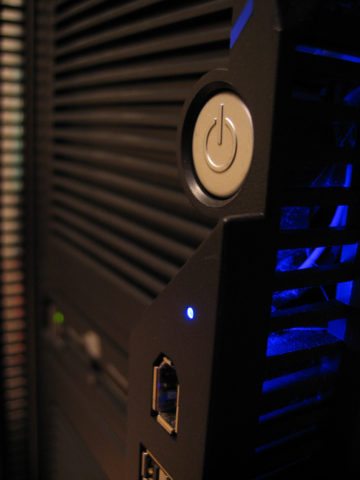
It’s the power that all of our electronic devices consume when they’re turned OFF.
“But I thought they were off. How can they use power?”
I’m glad you asked. Your devices are not really off, they’re on standby power. If they were truly off, you’d have to reset/reprogram them every time you turned them back on.
Obviously, this presents a problem to unplugging them, doesn’t it? Well, we’re going to have to do something. In many cases — like with your TV and DVD — they consume more power when they’re OFF then when they’re ON!
We can practically go outside to our power meter and watch the kilo-watt hours tick by, can’t we?!?
So how do we resolve the problem of phantom power without the inconvenience of resetting everything every time we plug something back in?
Well, there are some handy devices that can help you do it.
Phantom Power Slayers
 Consider using a smart power strip like the Smart Strip in your home office or computer desk. It monitors the current flowing through the strip and it turns off your computer/peripherals when they are not in active use. Cool huh?
From the manufacturer:
On average, if you leave your computer and its peripherals on for…
- 24 hours x 7 days = 168 hours per week total.
- 9 hours x 5 days = 45 hours per week used, if shut off.
- 168 hours total minus 45 hours used = 123 hours of energy saved.
- 123 hours saved / 168 hours total = 73% energy saved.
Check out the Kill-a-Watt to help you discover how much power every electronic device in your home uses, one by one. Knowing this will help you determine how to better adjust each of them for maximum power savings.
Want to monitor your entire home’s watt usage in real time (not one device at a time, as with the Kill-a-Watt)? Consider an electricity monitor. There is also another whole house energy monitor called the Wattson by Energeno. This monitor is iPod-esque in its aesthetics and gives off an ambient glow from the bottom so you can monitor your home’s energy usage in style.
I saved the easiest for last. A simple way to cut out phantom power is to unplug these 25 appliances when they’re not in use. You’ll be amazed at the difference such a small effort can make on your electric bill and the environment.
Make It Fun
Saving energy (and money) is serious stuff, but here are some ways to make it fun at the same time:
- Play a ‘ghosthunting’ game with the kids using the Kill-a-Watt to see who can find the appliance that uses the most electricity, aka phantom power.
- See which of you and your friends can save the most money by cutting back on phantom power. You could pool the money you collectively saved and have a celebration party. Because you’re using the money you would have normally spent in electric bills, that’s essentially a free party. Can’t go wrong there!